
Journal · · 5 min read
Can one product photo really become a whole campaign?
Yes, if the photo is clear and true to colour, and if someone decides the idea before anything is generated. One sharp product photo can become a whole set of campaign images: different frames, one runner, one place, one light. What it can't do on its own is choose what the campaign should be, and that choice is the difference between a campaign and a stock photo.
What does the product photo need to have?
Less than most founders think, but it has to be honest. The photo I use for this walkthrough is a plain ghost mannequin shot of a running tee on a grey background. What matters is that it shows the product clearly:
- The front, sharp and well lit, so every line of the print can be read.
- True colour. If the photo is too warm or too dark, every campaign image made from it will be wrong in the same way.
- The construction. Where the seams sit, how long the sleeve is, where one panel ends and the next begins.
- Extra angles when the product has them. A back print, a hood, pit zips or a chest pocket the front shot hides needs its own photo.
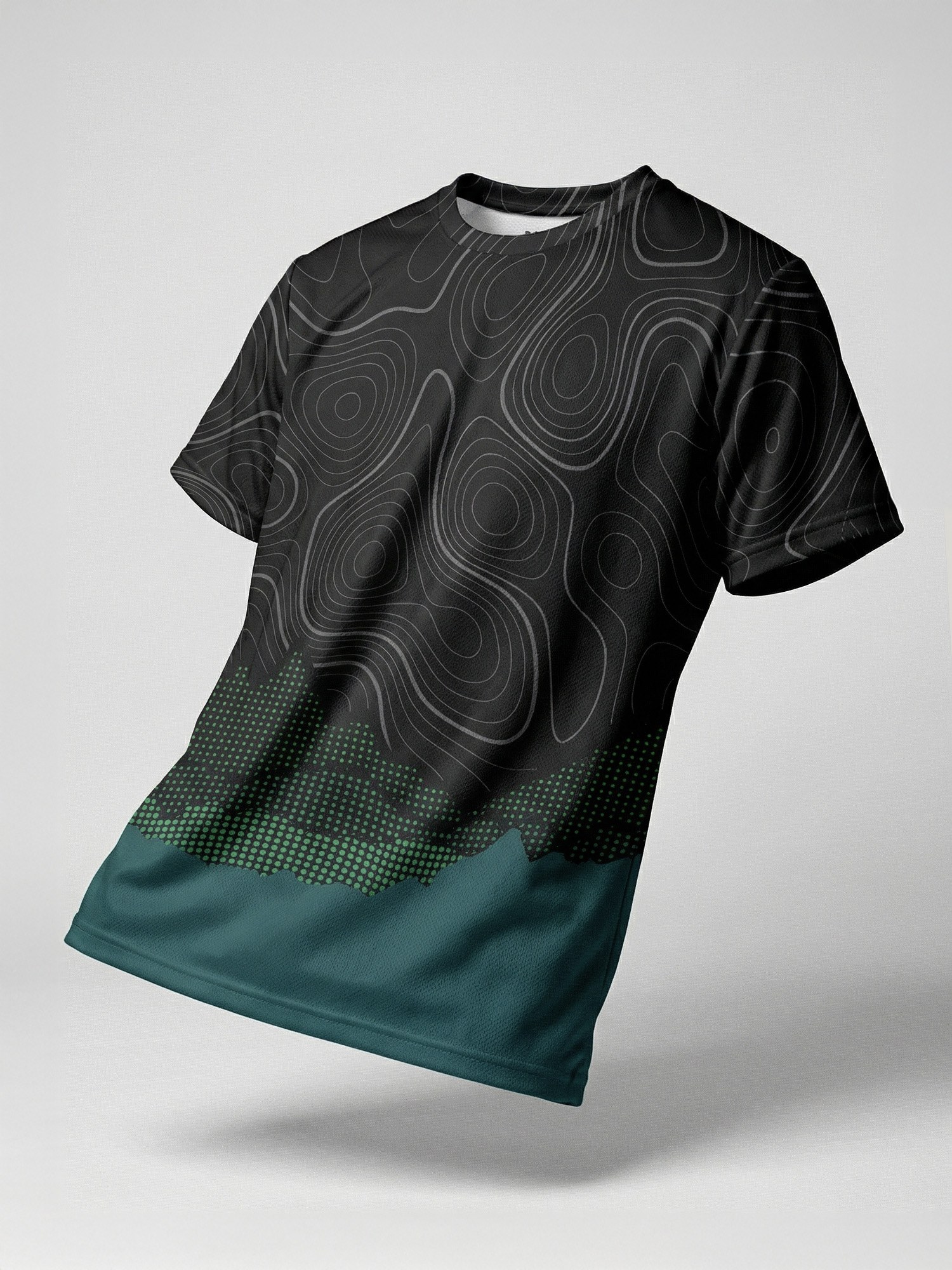
This tee has three things that are easy to get wrong: a grey topographic line print across the chest, a green halftone band shaped like a mountain ridge, and a solid teal panel at the hem. Those details are what make it this tee and not any black running shirt. They are also the first things AI likes to redraw.
What happens if you just prompt it?
One line of prompt, something like "man running in the mountains wearing this shirt", with the product photo attached.
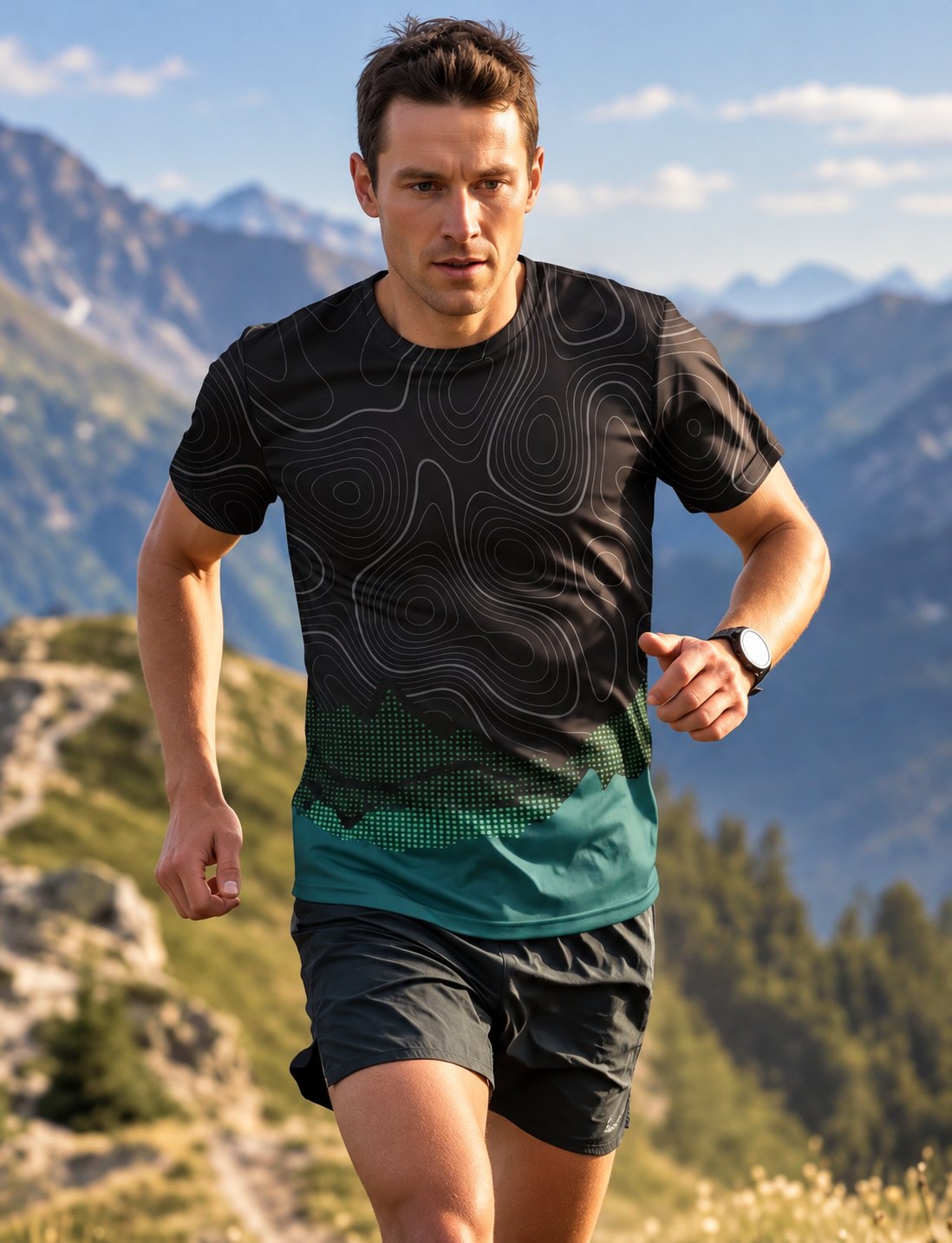
It isn't a bad image. The shirt is roughly right and the mountains are pretty. But look at what it is: a man jogging toward the camera, centred, evenly lit, with a soft view behind him. It could be an ad for a watch, a supplement or a trail race. Nothing about it says who this brand is for or why the tee exists. That is what you get when nobody makes a decision. I wrote more about this in why AI ad tools have no taste.
How do you turn one photo into a set of campaign images?
The product photo stays the same. What changes is everything I decide before anything is generated. For the topo tee it went like this.
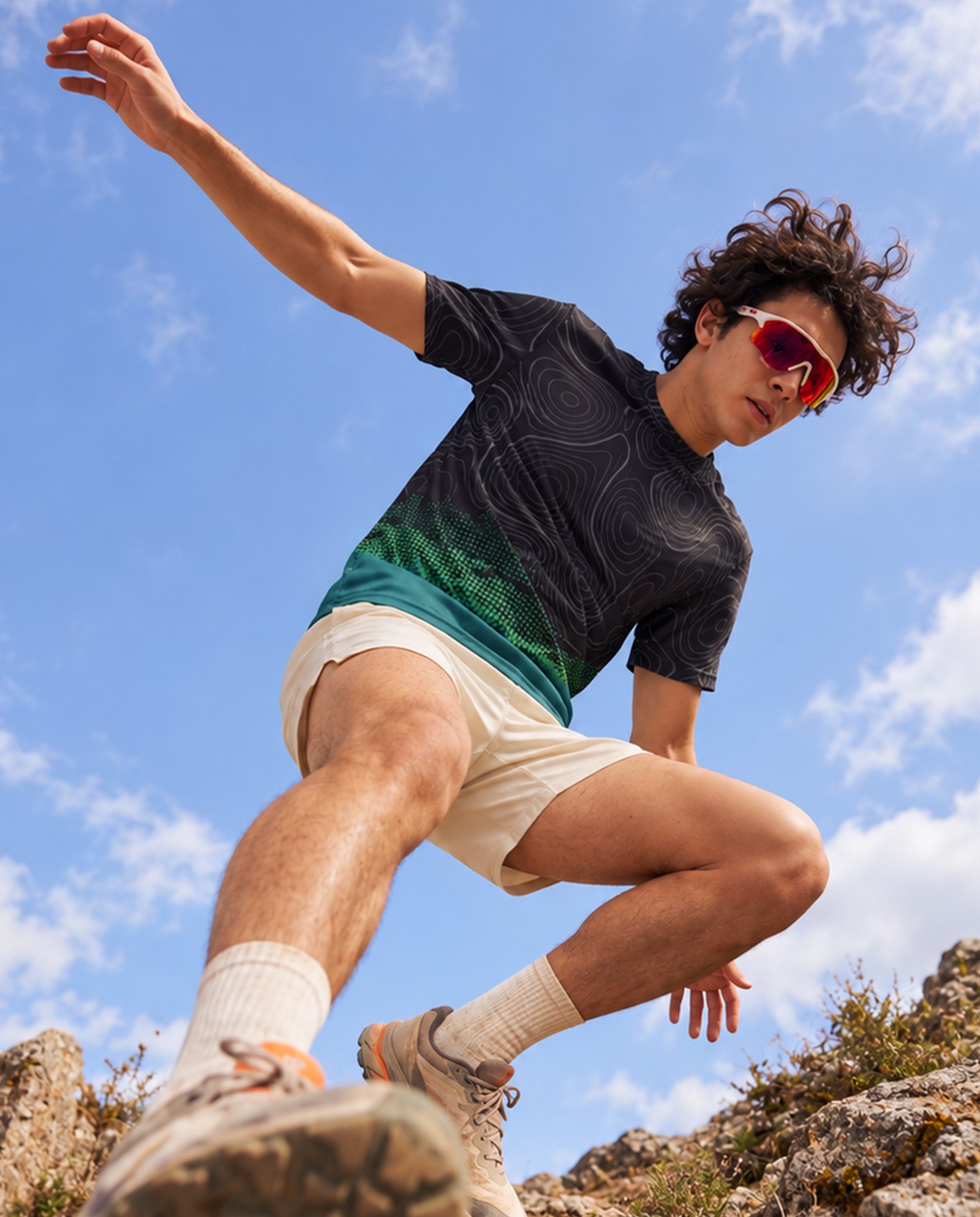
1. One idea in one sentence. The print is a contour map, so the concept was the terrain itself: a young runner moving fast over rough, dry ground in hard midday sun. Not a pretty view. The ground under your feet.
2. The world. Dry rock and scrub, a hard blue sky, sun high and sharp. Cream shorts and white socks so the tee is the darkest, most graphic thing in the frame. One small accent of colour in the sunglasses.
3. The person. Curly hair, lean, young, someone who runs because it's fun and not to win a podium. Once chosen, the same runner carries every frame. That is the point of character consistency.
4. The shot list. Before generating, I write the frames the set needs. For a running tee that is roughly: a hero action shot, a ground level shot that puts you on the trail, a moment of rest, a detail of the fabric and print, and one wide frame that shows the place. Each frame has a job, which I explained in telling a story with campaign images.
5. Generate, then choose. AI does the expensive part here. It makes many takes of each frame. Choosing is the work.
6. Check the product by hand. Every kept frame goes into Photoshop next to the product photo. Are the contour lines still lines, or have they turned into random swirls? Does the halftone band still look like a ridge? Is the teal panel the right height and the right teal? I covered this check in keeping logos, zips and prints right.
The image at the top of this post is the hero frame from that set. Same tee, same single photo as the prompted version. The difference is a low angle, a body in motion, a place with texture and light with an opinion.
When does one photo not work?
One photo is not enough when:
- The photo is low resolution or blurred. Fine prints and small logos can't be recovered from detail that isn't there.
- The colour is off. I can correct it if you tell me the real colour, but a swatch or a second photo is better than a guess.
- Key features are hidden. A shell with pit zips, a powder skirt or a back vent needs photos that show them. AI will invent what it can't see.
- The garment's fit is unusual. A cropped cut, a dropped hem or a very technical shape is easier to keep right with an on body photo, even a phone snap. More on that in why clothes look wrong in AI images.
For a simple tee, top or pair of shorts, one good front photo usually carries a whole set. For a ski jacket I'd ask for front, back and a couple of details.
How many campaign images can one photo become?
As many as the idea can hold. One concept usually gives six to ten frames before the set starts repeating itself. After that you need a second idea, not more versions of the first. That is the line between a campaign and the near copies I warned about in when more ad variations help. The same photo can then go into a second concept in a different world, say a court or a bouldering gym, and become a second set.
Who should decide what the campaign looks like?
A person who knows your brand and your buyer. I spent more than ten years creative directing an outdoor apparel brand, designing the clothing and shooting campaigns in the mountains, including on Everest. There is more about my background here. Now I set the concept and art direction, AI does the production, and I check every logo, zip, seam and print by hand. You can see how the work is packaged in the pilot set and monthly creative, and the activewear page shows more examples.
If you have one good product photo and want to see what it can become, send it for a $200 pilot set: 6 images, one concept, within 3 days.
Quick answers
Can AI turn one product photo into campaign images?
Yes. A clear, colour accurate product photo is enough for most tees, tops and shorts. A person still needs to set the concept, the place, the light and the model, and check the product by hand in every frame.
What kind of product photo works best?
A sharp front shot on a plain background in true colour, such as a flat lay or ghost mannequin photo. Add back and detail shots if the garment has a back print, zips, a hood or other features the front hides.
How many campaign images can one product photo make?
One concept usually holds six to ten distinct frames. For more, use the same photo in a second concept with a different place or activity rather than making near copies of the first set.