
Journal · · 4 min read
AI has no taste: why automated ad tools miss your brand
Automated ad tools like Meta's generative ad features and Higgsfield Ads Studio are good at making a lot of decent images quickly. They miss your brand because they optimise for volume and the average of what works, and they have no way to decide what your brand should look like or what to leave out. That decision is taste, and it still has to come from a person.
What do automated AI ad tools actually do?
It helps to be precise, because these tools are useful and I use AI in my own production every day.
Meta's own developer documentation lists three generative features for ad creative: image expansion, which reshapes an image to fit placements like Feed and Reels; text generation, which writes alternative versions of your ad copy; and background generation for catalogue ads, which creates multiple backgrounds behind your product images so ads can be adapted for different audiences. Meta says video generation is now a big business for it: the combined revenue run-rate of its video generation tools hit $10 billion in Q4 2025.
Higgsfield's Ads Studio works from your website. You give it a URL, it pulls in your logo, colours, products, prices and images, and it builds a batch of static ads, one per selling point, each with an image, headline, copy and call to action. You can review your logo, colours and tone before it generates.
Ad "multiplier" tools follow the same idea: take one ad and spin out many variations so you can test more angles.
What are they genuinely good at?
- Resizing and reformatting. Turning one square image into a vertical Reels version is tedious work, and a machine should do it.
- Testing angles fast. If you don't know whether "warm on the descent" or "dries fast" is the better hook, seeing both in an hour is valuable.
- Copy variations. A few alternative lines of primary text give you something to react to.
- Speed for very small teams. A founder doing everything alone can have something running today.
None of that is a small thing. If your bottleneck is volume, these tools solve it.
So why do the results still not look like my brand?
Because volume was the goal. A tool that makes many variations is built to find the average of what works, and the average of every outdoor ad is a fit person on a sunny ridge with mountains behind them. That image is not wrong. It just belongs to nobody.
Here is what I see drift when a tool decides instead of a person:
- Colour and light. Everything trends toward the same bright, saturated midday look, even if your brand lives in flat grey alpine light.
- The people. Generic models with generic faces, rather than the kind of person who actually wears your gear.
- The places. A pretty mountain, but not terrain your customer would recognise from their own weekends.
- The product. Prints, logos and zips get quietly redrawn. On apparel that's not a style issue, it's a different product.
- The thread between ads. Each variation stands alone, so there is no campaign, only a pile of images.
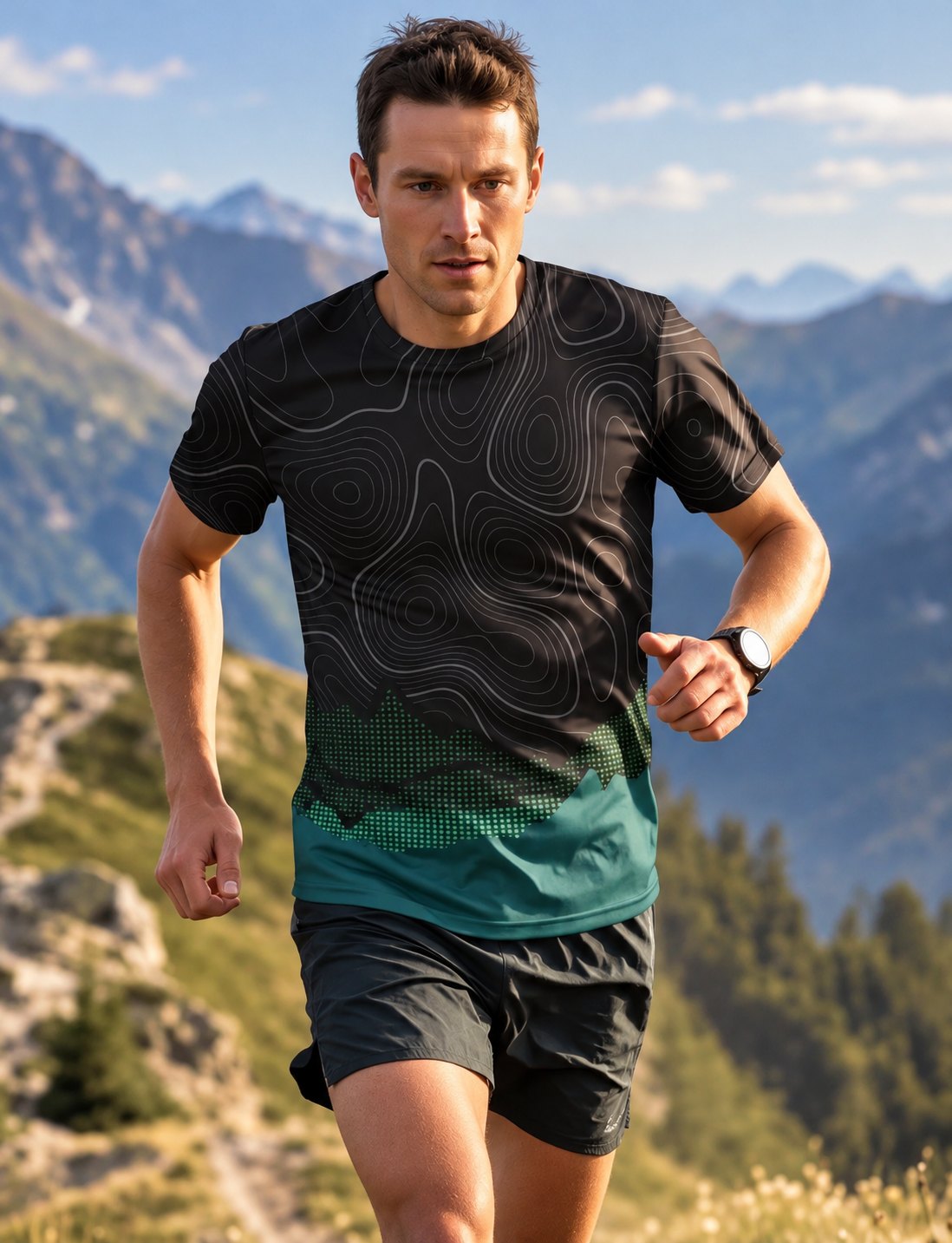
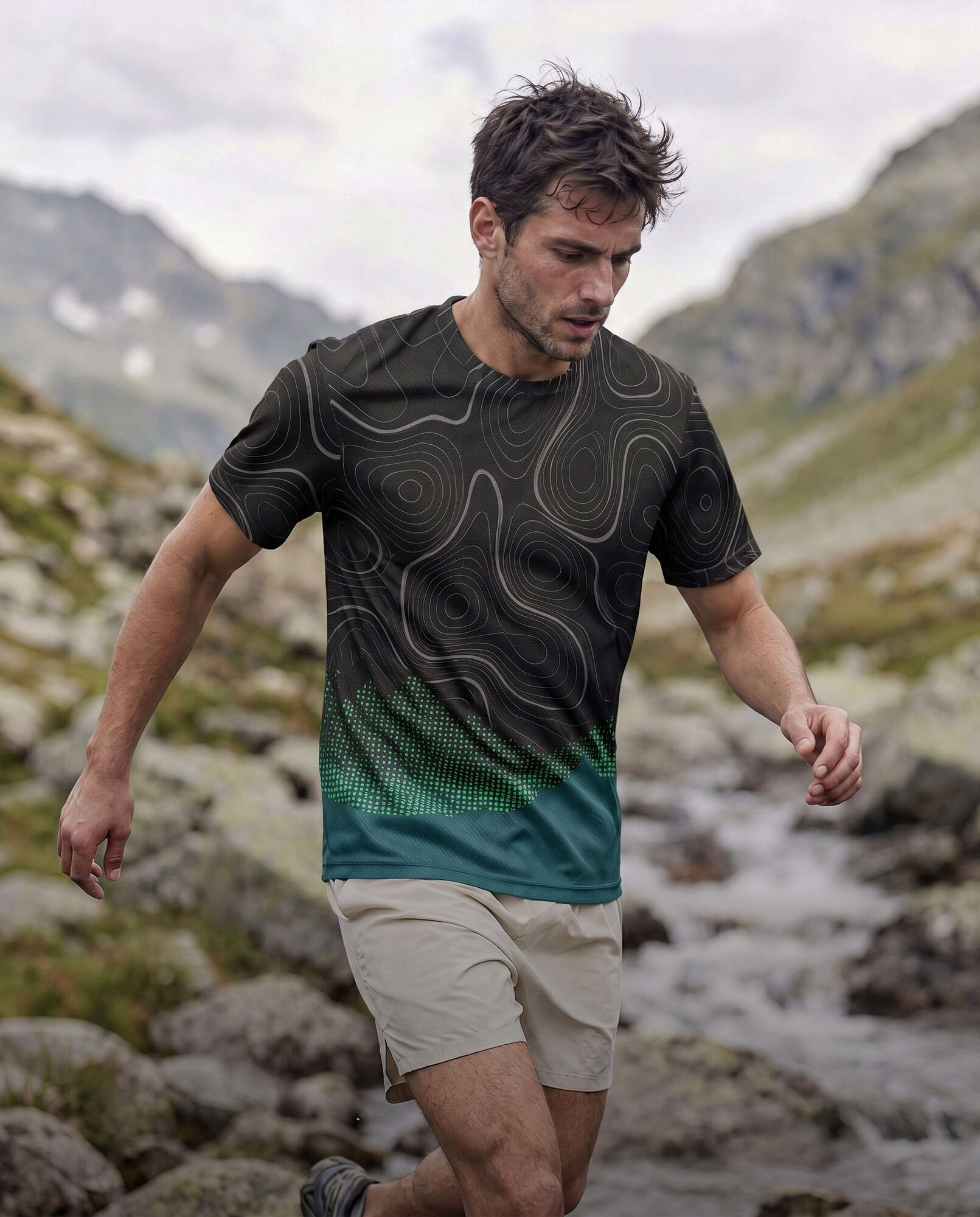
The image above came from a one-line prompt with the same running tee. It's competent. It's also the same sunny ridge and stock runner you have seen a hundred times, and nothing in it was a decision about the brand. Compare it with the image at the top of this post, where the light, the stream crossing, the shorts and the wet, overcast valley were all decided before anything was generated.
What does "taste" mean in practice?
Taste is mostly choosing what not to make. After ten years designing clothing for an outdoor apparel brand and shooting its campaigns, the decisions I spend the most time on are the ones a tool never asks:
- Which one idea is this month about, and which images don't serve it?
- Is this the light our customer actually runs in, or just flattering light?
- Would this person really be on this trail, in this weather, dressed like this?
- Does the jacket sit the way a shell sits on a ridge in wind, or does it look painted on?
- Do these twenty images feel like one brand when someone scrolls past three of them in a week?
A tool can't answer those because it doesn't know your customer, and it has no reason to throw away a perfectly decent image. Throwing away decent images is most of the job.
Should I stop using automated tools, then?
No. Use them for what they are built for. Let Meta resize and test. Let a variation tool try headlines. The part to keep human is upstream: the concept, the look, the people, the places, and checking that every logo, zip, seam and print matches your real product.
A simple split that works for small brands:
| Job | Who should do it |
|---|---|
| Campaign idea and look | A person with taste who knows your brand |
| Hero and lifestyle images | Creative-directed, then hand-checked for product accuracy |
| Resizing for placements | Automated tools |
| Copy and headline variations to test | Automated tools, reviewed by you |
That is how I run Cosmic Sandwich. I set the concept and art direction, AI handles the expensive production (locations, models, weather), and I check every product detail by hand in Photoshop. You can read more about my background, see how one product photo becomes a campaign, or compare what a shoot and AI images really cost.
If you want to see what directed images look like for your own product, start with a $200 test set: 6 images, one concept, within 3 days. The details are in the offer.
Quick answers
Are AI ad tools like Meta's generative features worth using?
Yes, for resizing images to different placements, testing angles and generating copy variations. They are less suited to deciding what your brand should look like.
Why do AI generated ads look generic?
Tools built to produce many variations drift toward the average of what works, so you get the same bright light, stock-looking models and pretty mountains that could belong to any brand.
How do I keep AI ad images on brand?
Decide the concept, light, people and places first, use AI for production, and check every logo, zip, seam and print against the real product before an image runs.