
Journal · · 5 min read
Meta's AI ad creative: what it's good for and where it drifts
Meta's built-in AI ad creative is good at adapting an ad you already have: reshaping images for Feed and Reels, writing alternative copy, swapping backgrounds behind catalogue products and turning still images into short videos. It is weaker at keeping your brand's look, because each change is made to fit a placement or an audience, not to fit your brand guidelines. Use it on finished, on-brand creative, and review every change before it runs.
What does Meta's AI ad creative actually do?
I wanted to be precise here, so I only used what Meta has published itself, plus one trade report from this month.
Meta's developer documentation describes three generative features for ad creative. Image expansion adjusts an image to fit different aspect ratios across surfaces like Feed and Reels. Text generation writes several versions of your ad text based on your original primary copy. Background generation, for Advantage+ catalog ads, creates multiple backgrounds to go behind your product images. Meta notes that some industries and countries may not have access to every feature.
The newer push is video. At Advertising Week in October 2026, Meta said generating video from existing static assets in Advantage+ creative is now generally available, and that its Ads Creative Studio can generate new video concepts and variations that you then edit: hooks, audio, clip length, text overlays, captions and end scenes. It also said its business assistant is testing a way for brands to upload strategy and brand voice guidelines to shape what it makes.
This is not a side project for Meta. In January 2026 it said the combined revenue run-rate of its video generation tools reached $10 billion in Q4 2025.
Where is it genuinely useful for a small apparel brand?
- Placements. A 4:5 Feed image and a 9:16 Reels image are different crops of the same idea. Letting Meta extend the frame saves real hours.
- Copy tests. If you're not sure whether "dries before the next climb" beats "built for long days", generated variations give you something to test quickly.
- Motion from stills. Most small brands don't have video. Turning a strong still into a short moving version is a sensible way to show up in Reels.
- Catalogue scale. If you sell hundreds of SKUs, generated backgrounds are a practical way to make catalogue ads look less like a spreadsheet.
Notice that all four work best when the input is already good. They adapt creative. They don't decide what it should be.
Where does it drift from my brand?
Each feature is solving a different problem from yours. Image expansion is solving "this doesn't fit the placement". Background generation is solving "this product could appeal to a different audience". Neither is asked "does this still look like us?"
From ten years of designing clothing and shooting campaigns for an outdoor apparel brand, these are the places I'd check first:
- Extended edges. When a frame is expanded, new sky, rock or trail is invented at the sides. In outdoor imagery that is exactly where things go wrong: a ridgeline that doesn't continue, light coming from two directions, terrain from a different mountain range.
- Backgrounds that change the story. A technical shell in front of a sunny beach is still a product image, but it is no longer your brand. Your customer knows which weather your gear is for.
- Colour and mood. If your brand lives in flat grey alpine light, a generated background in warm, saturated light quietly undoes that across a whole ad set.
- Copy voice. Variations based on your primary text tend to sound like ad copy in general. A brand that talks plainly can end up sounding like everyone else.
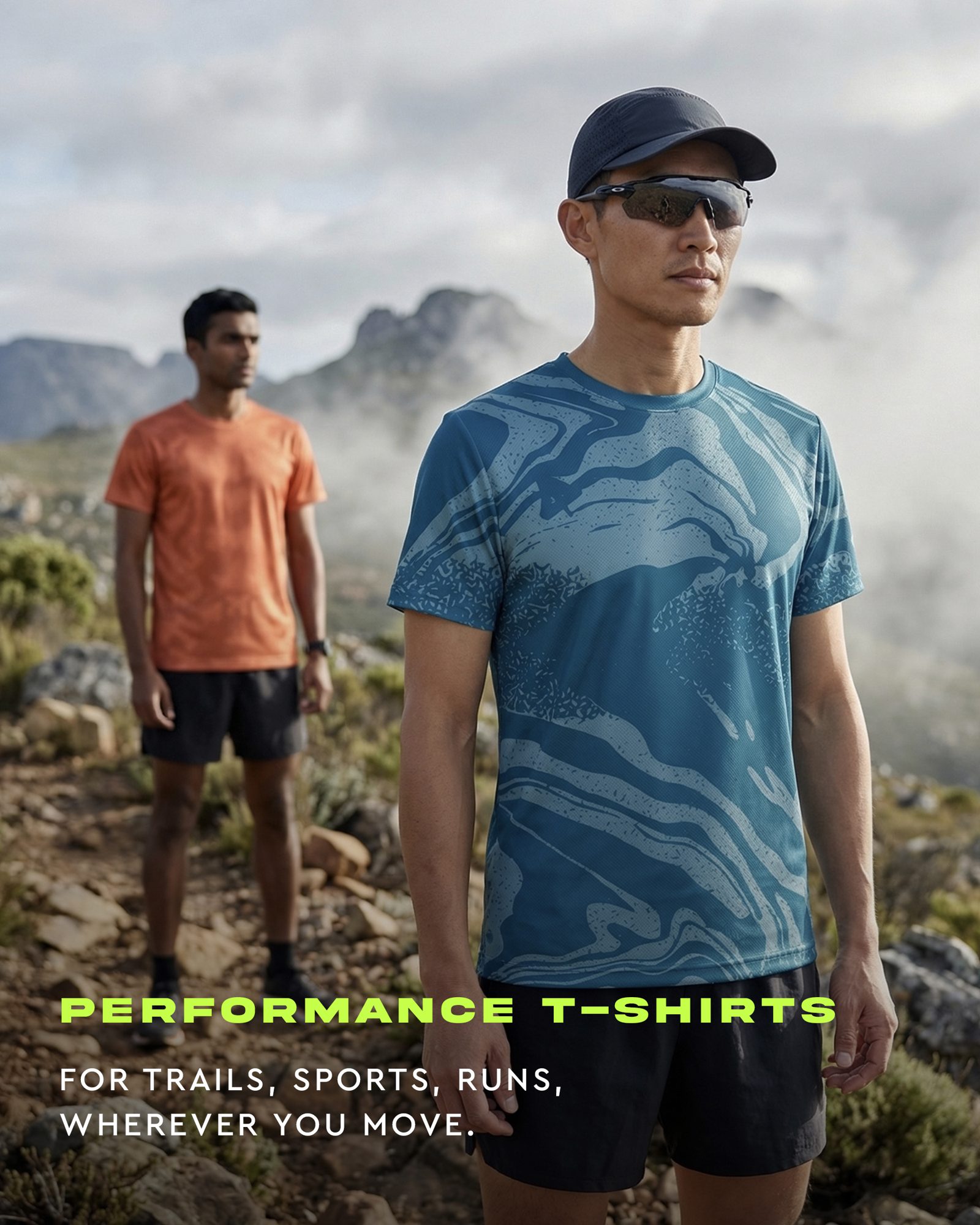
- Motion on the product. When a still becomes video, fabric has to move. A tee that ripples like silk or a jacket that stays rigid in wind is the fastest way to look fake to people who wear the gear.
- The product itself. Prints, logos and zips can shift when an image is regenerated or animated. On apparel that's not a style issue. It's a different product.
Will people know an ad was made with Meta's AI tools?
Sometimes, and it's worth knowing the rules before you lean on these features. Meta says it labels ads that are created or significantly edited with its in-house generative AI tools. The label sits in the three-dot menu, or next to "Sponsored". If the tools add an AI-generated photorealistic human, the label appears next to "Sponsored". Meta has also said it plans to start detecting ads made with third-party AI tools through industry-standard signals.
For me this is a reason to care more about craft, not less. A label tells people AI was involved. Whether the image feels like your brand, and whether the product is exactly right, is still the thing they judge.
How should I use Meta's AI features without losing the brand?
Keep the decisions upstream and let Meta handle adaptation. A simple split:
| Step | Who does it | What to check |
|---|---|---|
| Campaign idea, light, people, places | You or a creative director | One idea the whole month's ads share |
| Hero and lifestyle images | Art-directed, then hand-checked | Every logo, zip, seam and print |
| Resizing for Feed, Stories, Reels | Meta's image expansion | The invented edges and horizon |
| Copy variations | Meta's text generation | That it still sounds like you |
| Short motion from stills | Meta's video generation | How the fabric moves |
Before you publish, look at every generated version the way a customer would, at phone size, three ads in a row. If one feels like a different brand, turn that change off for that ad. A smaller set that looks like you is better than a bigger set that doesn't.
Where does Cosmic Sandwich fit?
I make the part Meta's tools need as input: the campaign. I set the concept and art direction, AI does the expensive production (locations, models, weather), and I hand-check every product detail in Photoshop. The images then work well with Meta's resizing and motion features, because there is a clear look for them to adapt. You can read more about my background, why automated ad tools miss your brand, or how one product photo becomes a campaign. If you run activewear, the activewear page shows the kind of images I make.
If you want a set of on-brand images to feed into your own Meta ads, start with a $200 test set: 6 images, one concept, within 3 days. The details are in the offer.
Quick answers
What can Meta's AI ad creative do?
According to Meta, it can expand images to fit placements like Feed and Reels, generate versions of your ad text, generate backgrounds behind catalogue product images, and turn static assets into video.
Does Meta label ads made with its AI tools?
Meta says it labels ads created or significantly edited with its generative AI tools, in the three-dot menu or next to Sponsored, and next to Sponsored when an AI-generated photorealistic human is added.
How do I keep Meta's AI ads on brand?
Start from finished, on-brand creative, use Meta's tools for resizing, copy tests and motion, and review every generated version for invented edges, colour, voice, fabric movement and product accuracy before it runs.