
Journal · · 3 min read
How to get outdoor campaign photos without a photoshoot
Start with a clean photo of your product, decide one campaign concept, then build the scene around the real garment and fix every detail by hand. Done properly, a single product photo can become a set of trail, ridge or city images that look like a shoot, in days instead of weeks, without flying a crew to the mountains.
What do you actually need to start?
Less than most founders think. You need:
- One sharp product photo per item. A flat lay, a ghost mannequin or a phone photo on a plain wall all work. The cleaner the light, the more accurate the result.
- A close-up of anything that matters. Logos, zip pulls, reflective tape, a print. These are the details people zoom into, so I want to see them clearly.
- A sense of where your customer uses it. Trail running at dawn, a ski lift in a snowstorm, a pickleball court at golden hour. One sentence is enough.
You don't need models, locations, permits or a production budget.
How does a product photo become a campaign?
It works in three steps, and the first one is the one most people skip.
1. Pick one concept
A campaign isn't twenty random pretty pictures. It's one idea told several ways. "First light on the ridge" or "the storm doesn't care" gives every image the same mood, light and colour, so the set feels like it came from one shoot. This is where creative direction matters more than any tool.
2. Build the scene around the real product
The garment stays the hero. AI is part of the production, but it's guided: the pose, the light direction, the time of day and the terrain are all chosen to suit how your product is actually used. A shell gets rain and wind. A merino base layer gets cold blue morning light. A tennis tee gets hard sun and a court shadow.
3. Fix every detail by hand
This is the step that separates a campaign from an AI experiment. AI tools love to redraw logos, invent extra zips and smudge prints. Every image is checked against your product photo and corrected in Photoshop until the logo, seams, zips and print match.
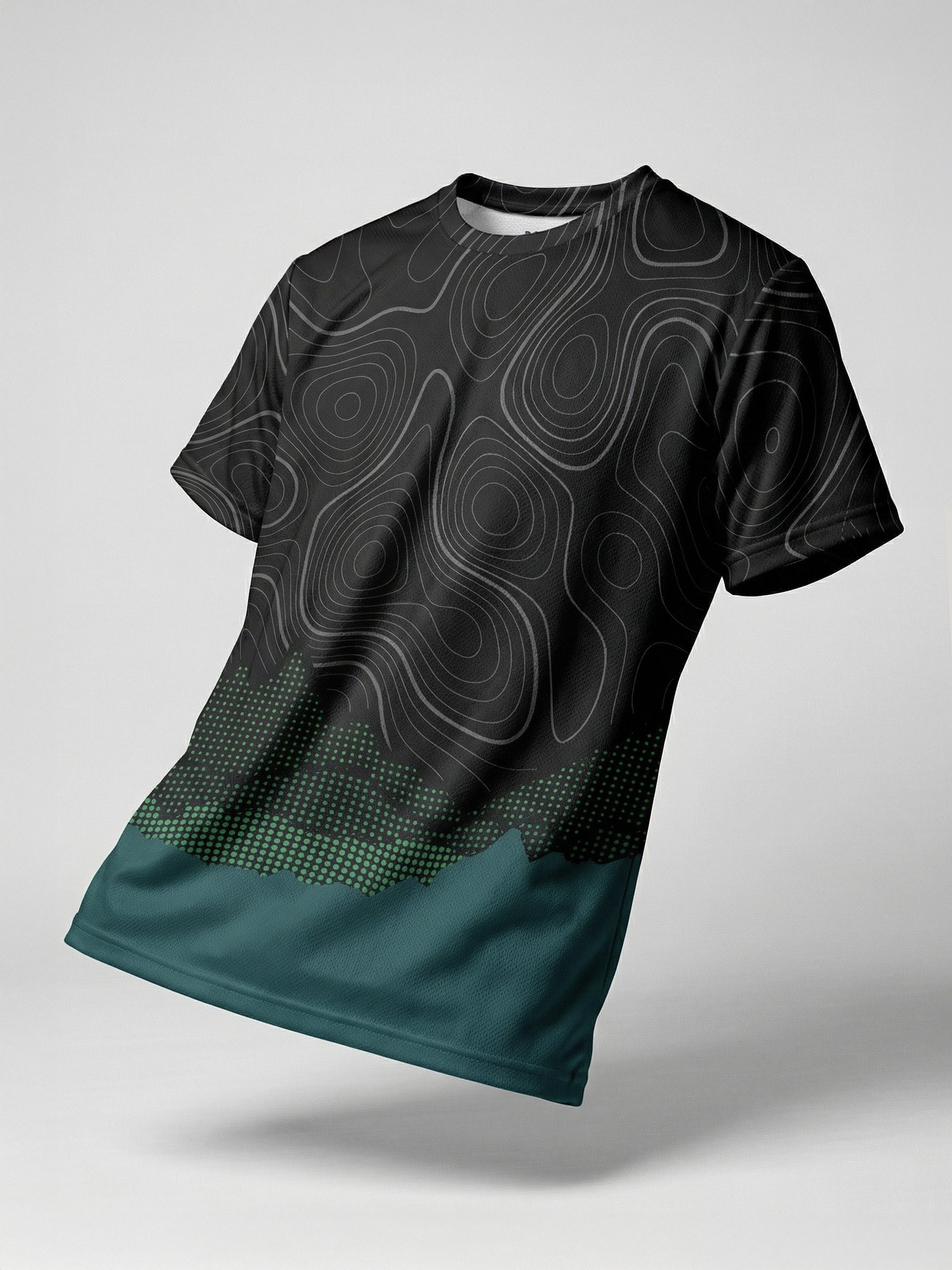
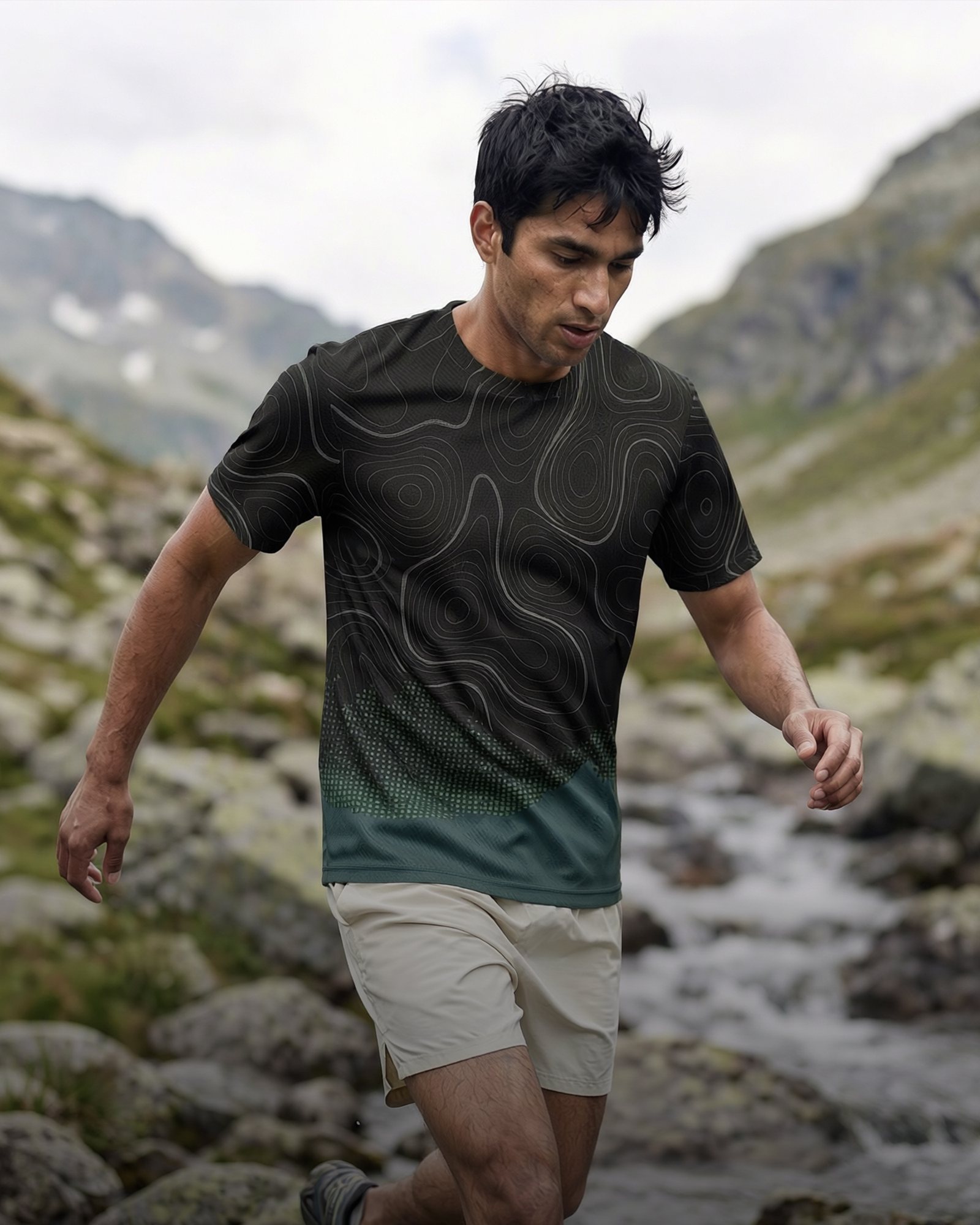
The image above is the input for the photo at the top of this post: one plain product shot of our own topo-print tee. Same print, same teal hem, now on a runner crossing an alpine stream.
What makes outdoor images look fake?
I've spent years shooting in the mountains, including on an Everest expedition, and the giveaways are almost always the same:
- Wrong light. Midday studio light on a snowy summit. Real alpine light is either low and warm or flat and blue.
- Clean clothes in dirty places. Nobody finishes a trail run with spotless shoes. A bit of dust and creasing makes it believable.
- Impossible terrain. Runners on slopes nobody would run, climbers holding rock that wouldn't hold them.
- Generic faces and poses. Models posing instead of moving.
Getting these right is taste, not software. It's the reason I direct every set myself.
Can I keep the same model across a campaign?
Yes. If you want one recognisable athlete across every frame, I keep the same character consistent through the whole set. If you'd rather show a range of people wearing the product, that works too. It's a choice you make at the concept stage.
Where can I use the images?
Anywhere you'd use photos from a shoot: Meta and Instagram ads, your website hero, product pages, email, wholesale decks and social. You own them. I size them for the placements you actually run, so you aren't cropping a portrait image into a square ad at the last minute.
When should you still book a real shoot?
Sometimes a shoot is the right call: a big launch film, an athlete partnership, or content where real people and real places are the story. I still do real shoots in the mountains when a brand needs one. But for the steady flow of fresh images a growing brand needs for ads every month, building from product photos is faster and far easier on the budget.
If you're weighing the two, I've broken down what a shoot and an AI-built campaign really cost.
Quick answers
Do I need models or a location to get outdoor campaign photos?
No. A clean photo of your product is enough. The scene, light and athlete are built around your real garment, then every detail is checked by hand.
Will my logo and print look right?
They should match your product exactly. Every logo, zip, seam and print is compared to your product photo and corrected in Photoshop before you see it.
How long does it take?
A 6-image test set takes up to 3 days. Monthly clients get 20 images and 2 new concepts every month.